
Platform overview
Features
Everything you need to build a real financial plan — without handing over your data.
All features
Unleash The Power Of Future-Based Budgeting
Every feature is built around one goal: giving you a real, actionable plan as fast as possible — no bank access, no guesswork.
Plan
Budget Builder
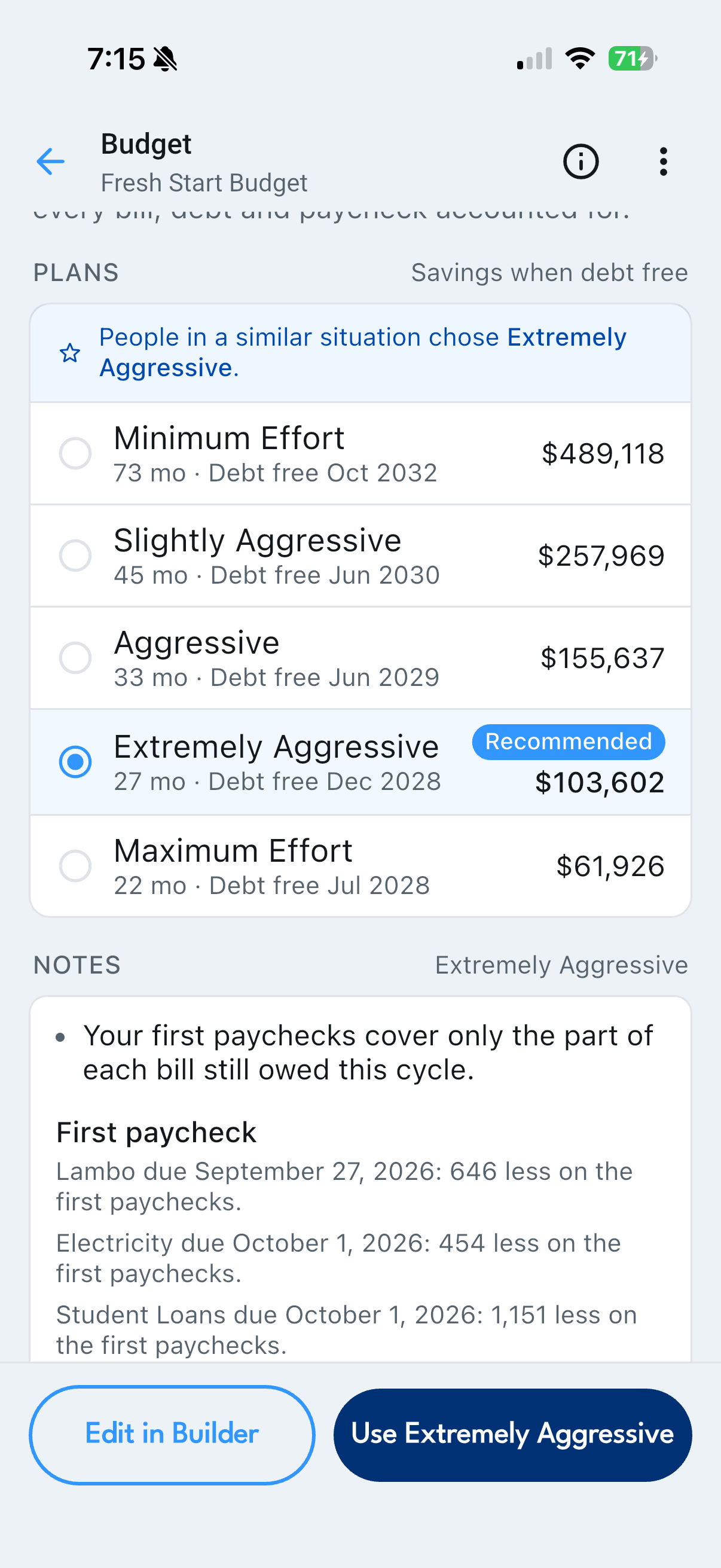
Five sections and one Calculate button. Tell it what comes in and what goes out, and up to five personalized plans come back in under ten seconds — each one up to ten years long. Free unlocks Minimum Effort; Thrive opens all of them.
Live — try it
Five Sections, One Button
A name, your income and savings, housing, expenses and debts. No bank connection, no statements, nothing imported — every figure is one you typed.
Guided Walkthrough
An in-app tutorial that takes a first-timer through all of it and out the other side with a saved budget.
Up to Five Plans
From Minimum Effort to Maximum Effort, all built from the same inputs but committing a different share of your surplus to debt.
A Spectrum, Not a Ranking
Longest-running first. Picking from it is the real decision, and the app is honest that the fastest plan is usually the hardest to live with.
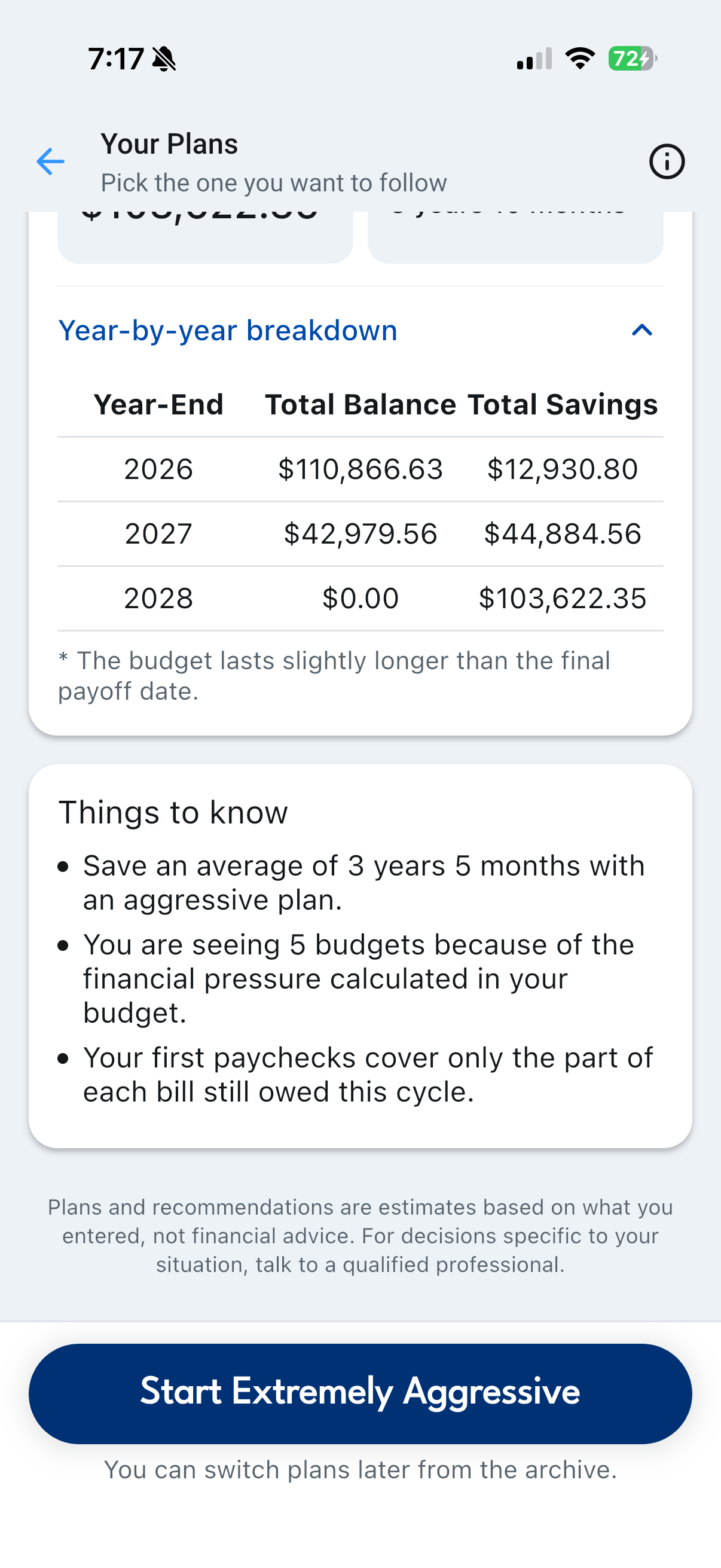
Time Savings & the Year-by-Year Breakdown
How much sooner each plan finishes than the gentlest one, and a year-end table of what you owe and what you have saved — the numbers that turn aggressive from a word into two years and four months.
Recommendation
What people in comparable situations chose, as a sanity check when you are torn between two adjacent tiers. The reasoning is Thrive.
Track
Paycheck Tracking
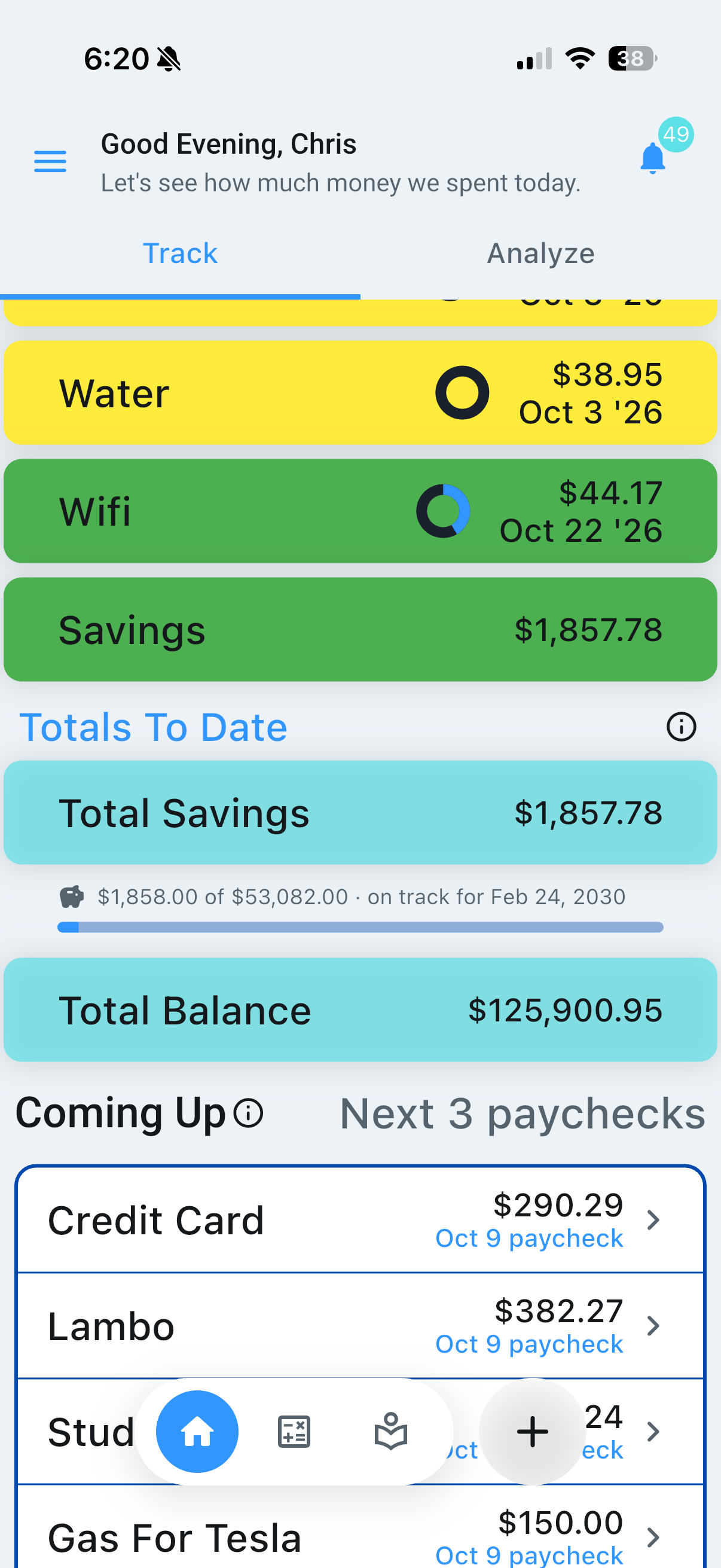
Money organized by paycheck, not by calendar month. Open the app on payday, work down the bills, mark them complete. That is the whole routine.
Live — try it
Bills by Paycheck
Each bill is assigned to the paycheck that covers it, based on its due date — so one check absorbs rent and the next one does not pretend to.
Tick Bills Off
Tap a bill to mark it paid and the paycheck amount drops to what is left. Ticking is free on every plan, and everything downstream is built from that marking-off.
Adjust the Real Numbers
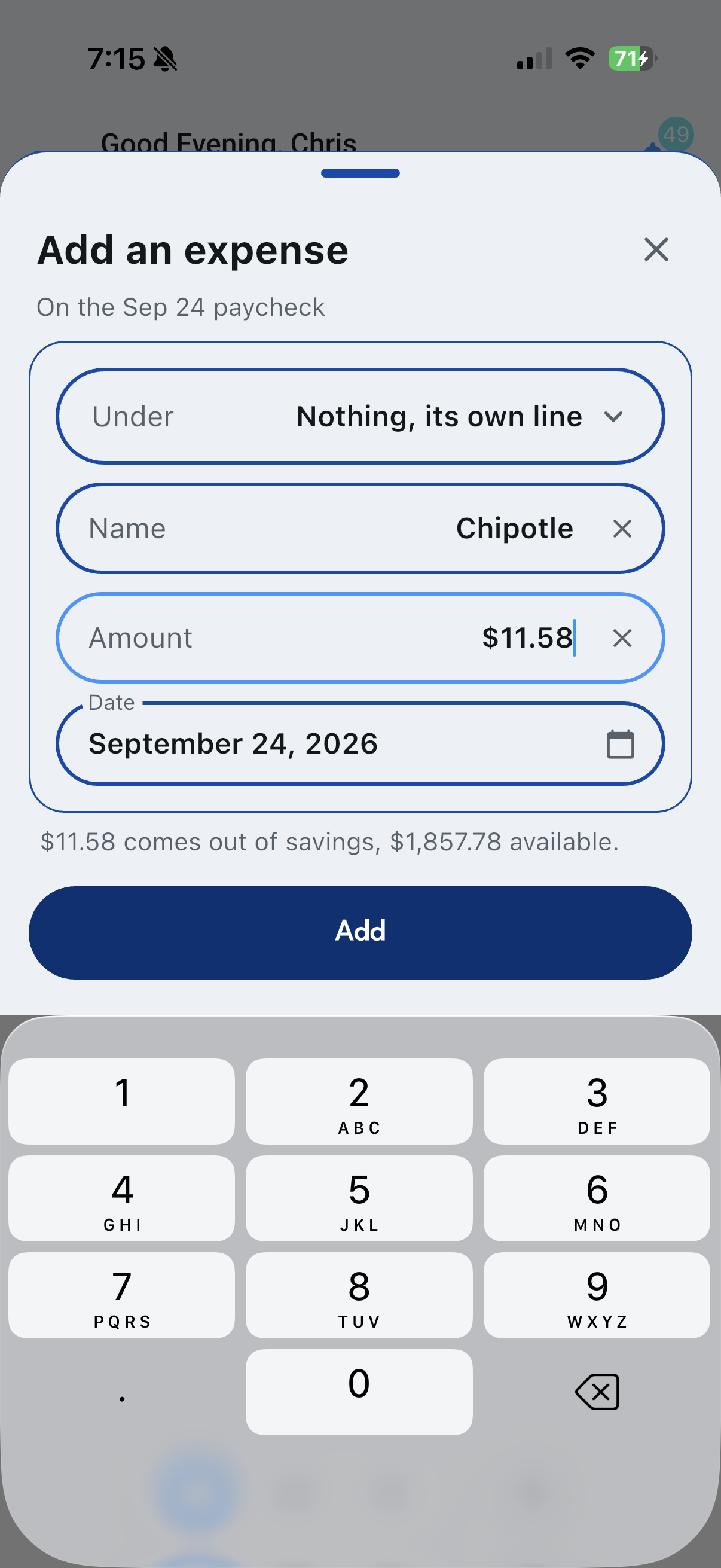
When the deposit or the bill differs from the plan, correct it for that period, or add an expense to the paycheck. Editing and adding are Thrive.
Moving Between Paychecks
Step forward and back through your pay periods to see what is coming and what already happened. Free opens your upcoming paycheck; Thrive opens them all.
Totals to Date & Coming Up
Where the plan has you after this paycheck, and the bills due on the paychecks after it — one paycheck ahead on Free, three on Thrive.
Validate Before You Commit
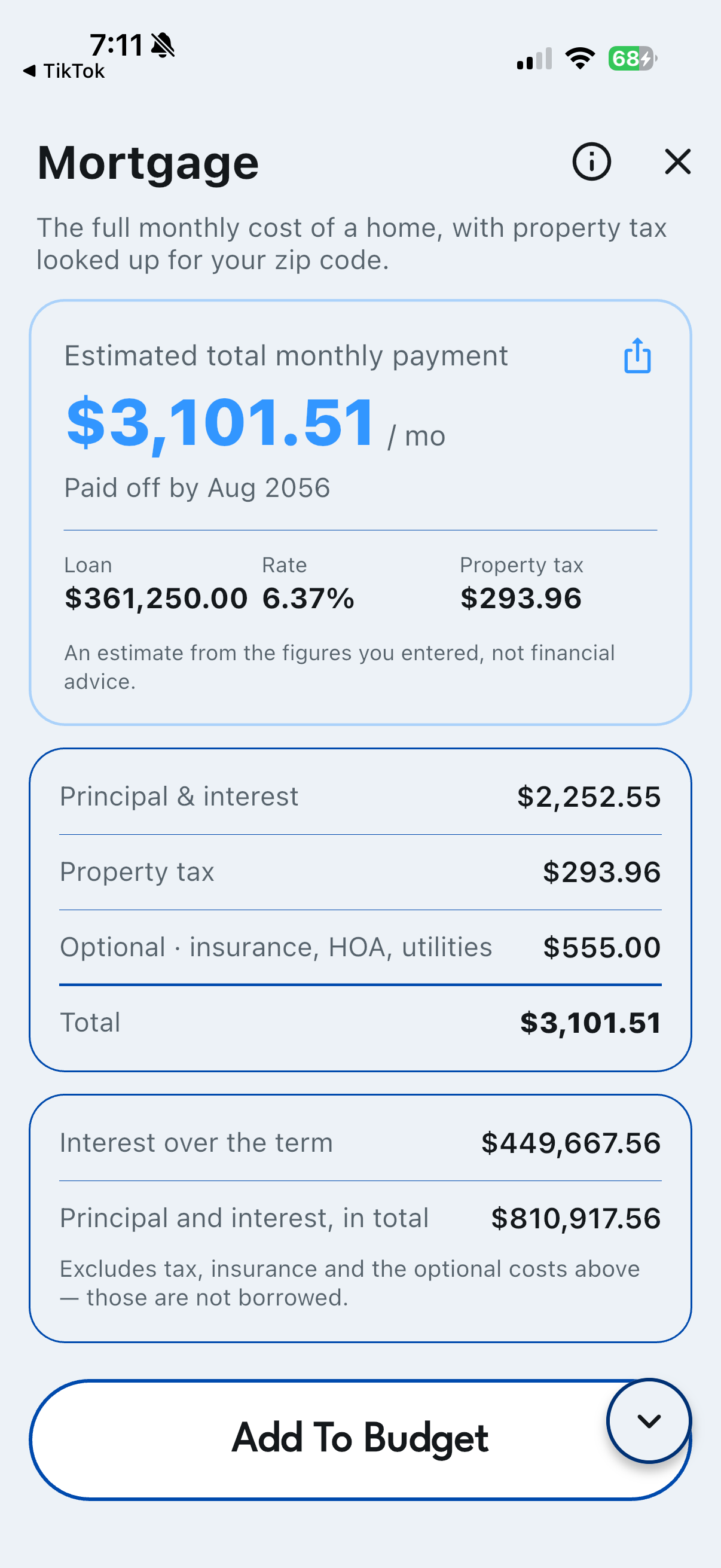
Add a car payment, a student loan or a mortgage and see exactly what it does to your budget — before you sign anything.
Analytics Dashboard
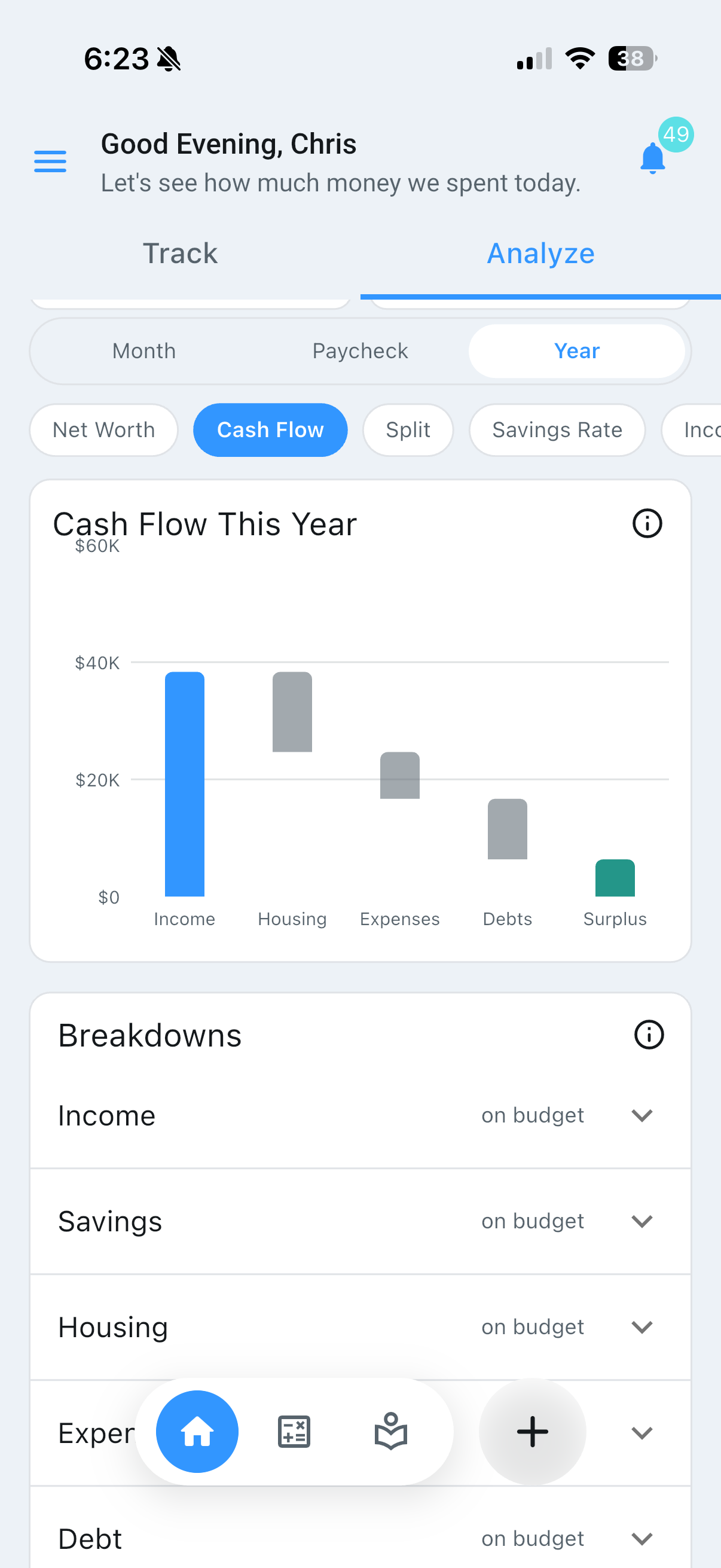
The reflective half of the app. Where Track is about the paycheck in front of you, Analyze is about the shape of things over time. Core metrics are free; the deeper views are Thrive.
Live — try it
Month / Paycheck / Year
One control changes what every chart means: calendar months for comparing against a statement, paychecks the way the app plans your money, or years for the long view. Paycheck and Year are Thrive.
Net Position
Total saved minus what you still owe, with a ring showing how much of your original debt is paid off.
Stat Tiles
Income, spending, savings and debt paid for the current month, each compared to your average. Free shows income and fixed bills.
A Chart for Every Question
Selectable one at a time, from Net Worth to Spending Change, each built from the plan you are tracking. Net Worth by month is free.
Paycheck Insights
Budgeted versus actual paycheck amounts, how many paychecks remain, and your high, low and average months.
No Bank Feed
The dashboard has no independent view of your finances. It reports what you told it — which is also why it never asks for a login.
Decide
Financial Calculators
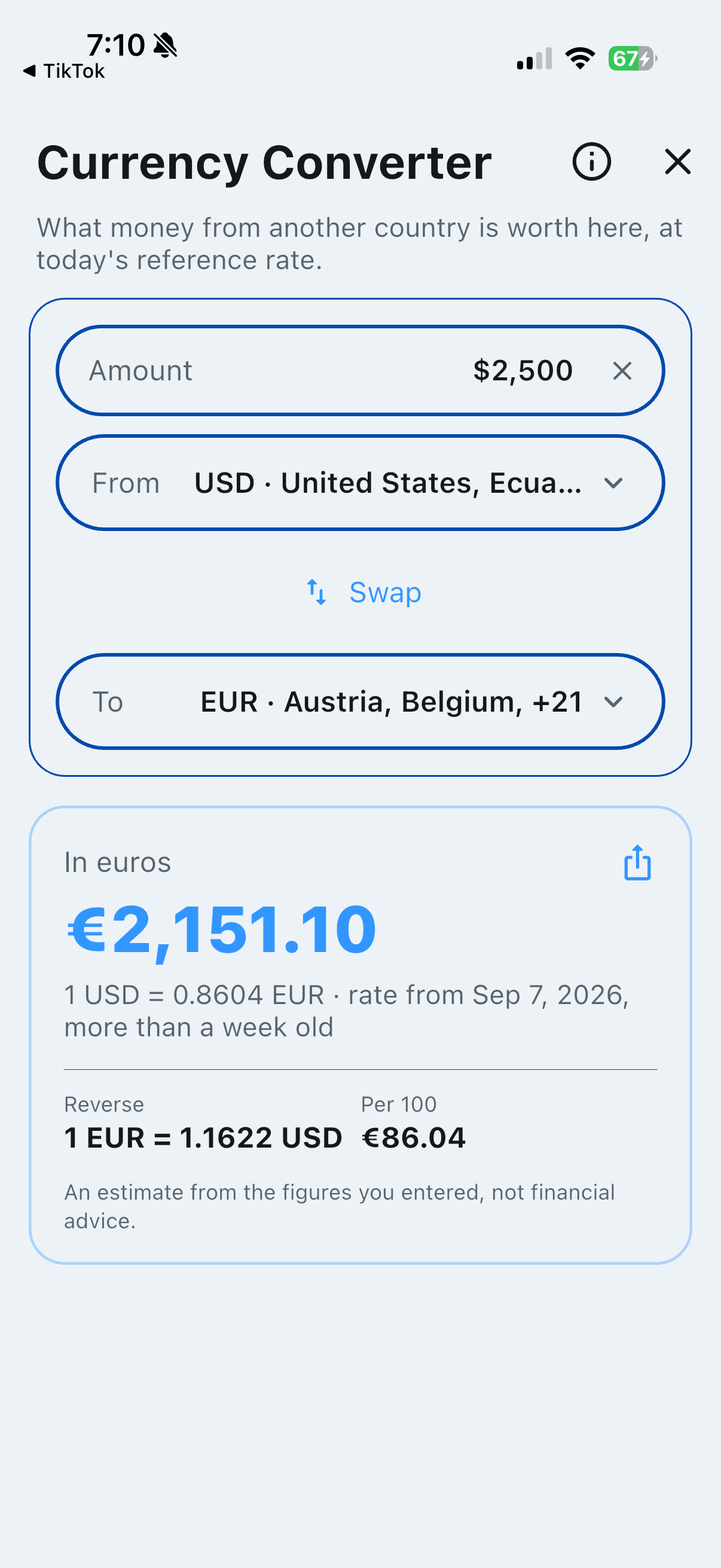
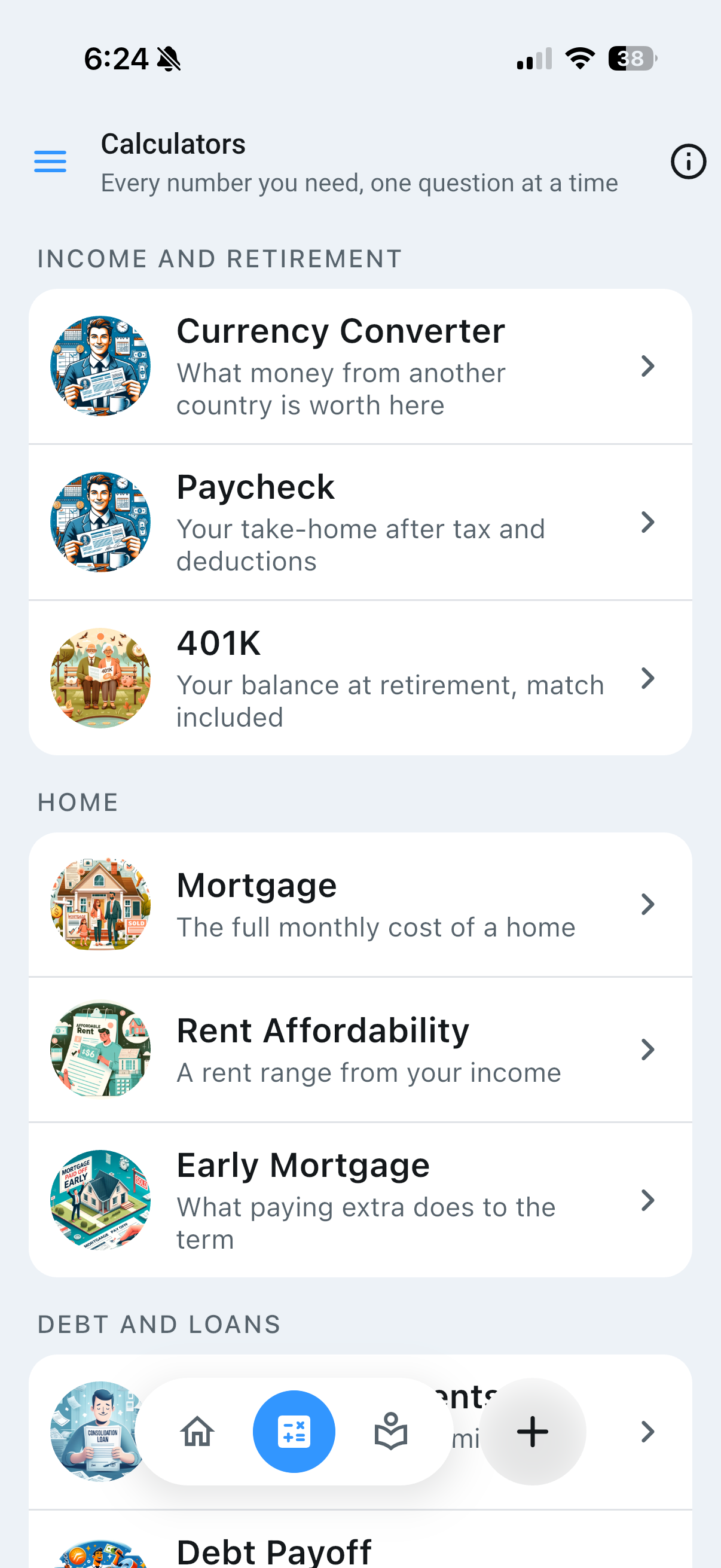
Every calculator is free, and all of them live inside the app. Run the numbers on the decisions that matter most — pay, housing, loans, payoff and savings — and push the result straight into your budget.
Live — try it
Calculators for Every Decision
Income, home, debt and savings calculators, grouped by topic. A few use US tax data and appear only for US accounts.
Add To Budget
Many of them can push their result directly into the Budget Builder, so a what-if becomes a line in a real plan in one tap.
Loans
Auto, student and mortgage — payment, total interest and the true cost before you sign on the dotted line.
Payoff
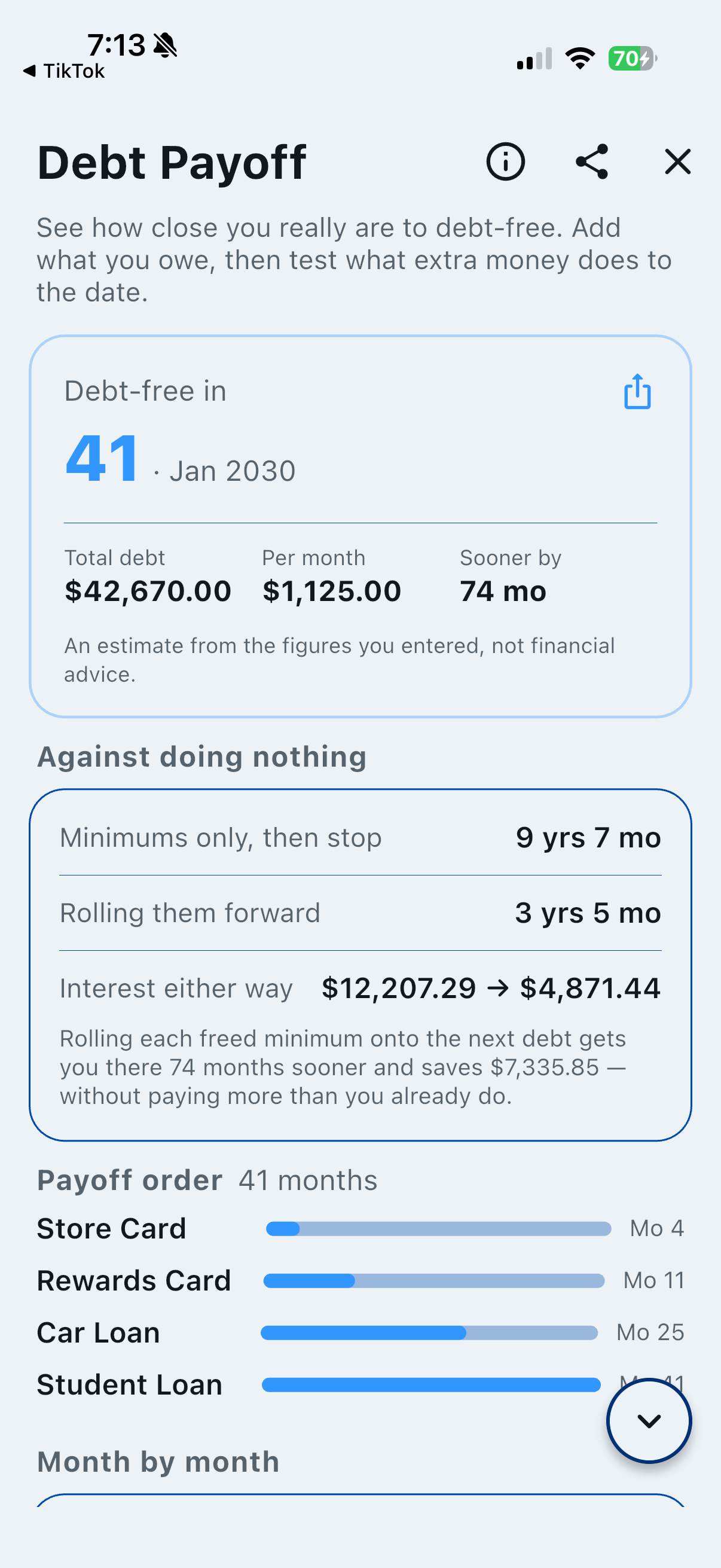
Avalanche versus snowball across every debt you carry, whether consolidating actually helps, and what extra payments do to a mortgage.
Paycheck & Rent
Take-home pay after federal, state and local tax, and a comfortable rent range from your income. For US accounts.
Amortization
Any loan as a full payment-by-payment schedule — principal, interest and remaining balance, monthly or yearly. Exporting a schedule as a PDF is Thrive.
Canvas
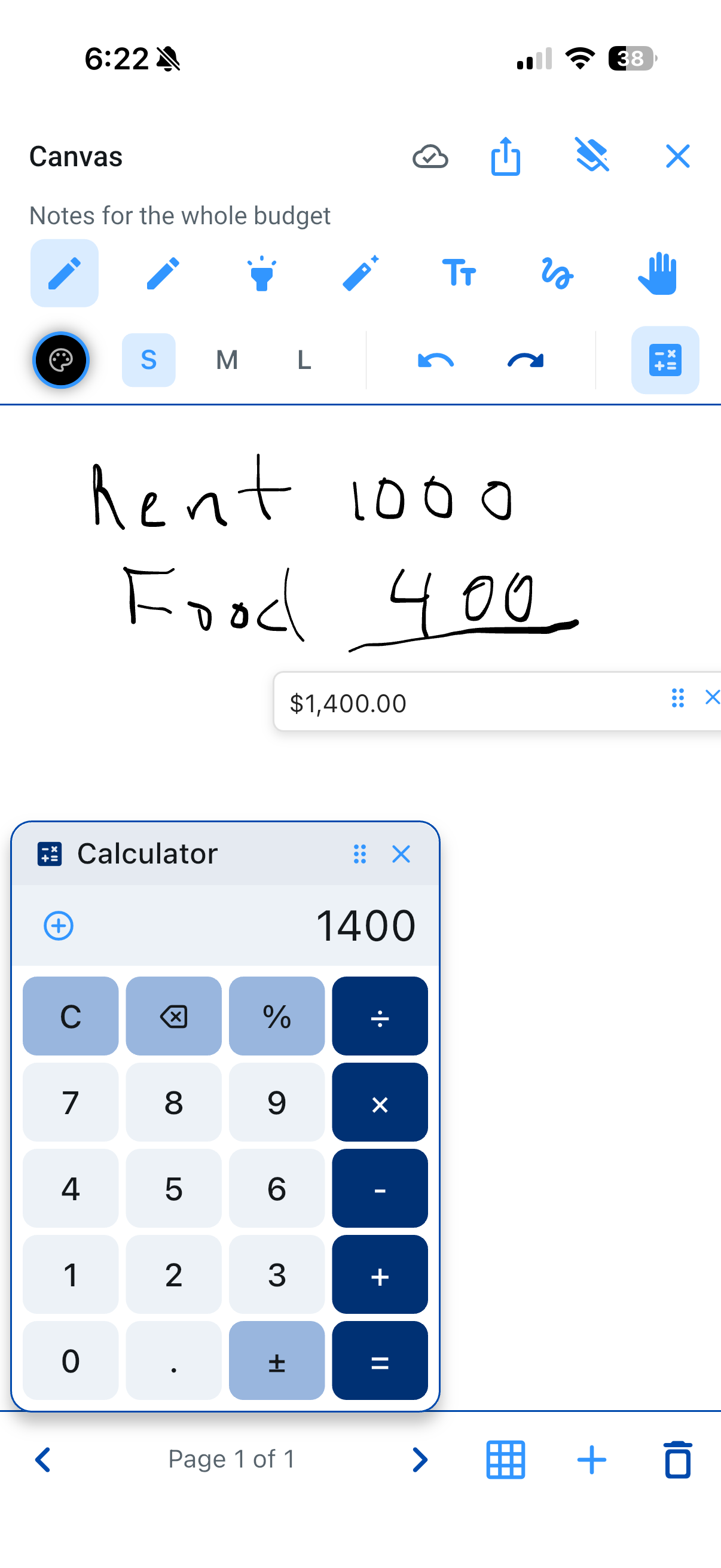
A blank page attached to each paycheck, with what that paycheck has to cover one tap away — plus one for the whole budget. Sketch on a tablet, pull it up on your phone or the web. A Thrive feature.
Live — try it
Tied to a Paycheck
Each pay period has its own canvas, with a Bills panel that drops the paycheck's amount, its savings figure and its bills onto the page. A budget canvas gathers notes for the whole plan.
Tools
Pen, marker, highlighter, eraser, text, select and page swiping — enough to work something out, not so much it becomes a drawing app.
Pages
Add, switch between and delete pages when one period needs more than one sheet.
Share & Export
Export a canvas as a PDF and share it — to a partner, an advisor, or your own inbox.
Best on a Tablet
Most natural with a stylus, where writing is as fast as thinking. Works with a finger on a phone and a mouse on the web.
Auto-Save
Saves shortly after you stop drawing and again when you leave. Your work is stored against that paycheck and waiting when you return.
Keep
Budget Archive
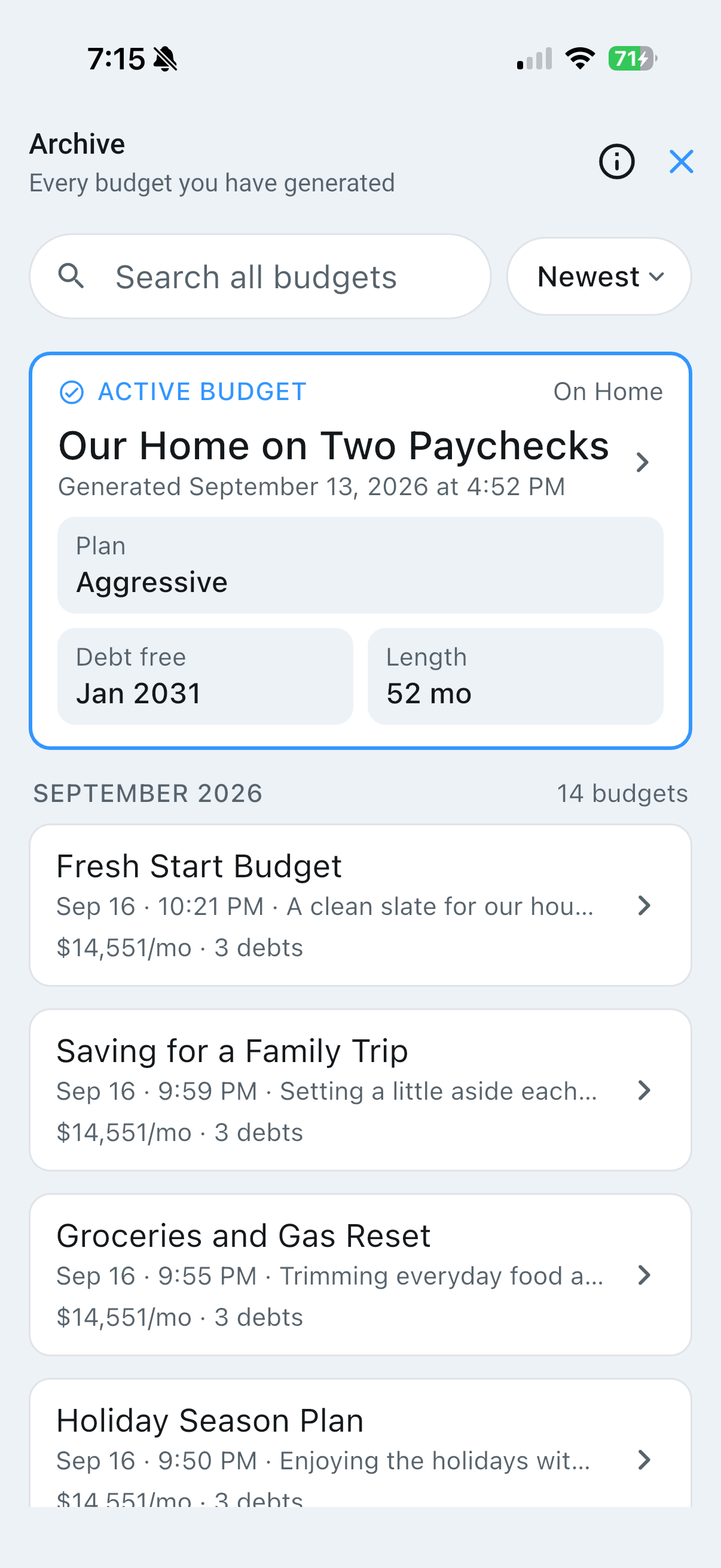
Every budget you have ever built, saved automatically. Open any past budget to see what went into it, compare its plans, and put one back on Home.
Live — try it
Every Budget Saved
Nothing is thrown away when you rebuild. Each entry shows what it was and when. On Free your three newest stay open, and older ones are kept but locked.
Active Budget
One budget drives the home screen at a time. Make a different one active and the tracker follows it.
Restore
Put a past plan back on Home with its own marks and edits intact. Restoring is Thrive.
Search, Sort & Pin
Find the one you mean, order them how you like, and pin the ones you keep coming back to. Pinning is Thrive.
Multiple Budgets
Build as many as you like on any plan. Thrive keeps every one of them open in the Archive, with smart recommendations across them.
Delete
Remove a budget you no longer need from your Archive. Deliberate and confirmed first.
Privacy & Account
No bank connections. No transaction history. BetterBudgets only asks for what it needs, and your data never goes further than your plan.
No Bank Connection Required
There is no bank integration in the product, and if one ever arrives it will be optional. Every figure in the app is one you typed in.
Your Data Stays Yours
Never sold, never used for advertising, never handed to a third party for its own purposes. Delete it at any time.
36 Countries
Region and currency settings that shape tax and housing figures for where you actually live.
Notifications
Push, email and SMS, each on its own switch — upcoming bills, budget check-ins and milestones, only when you want them.
Free Guides
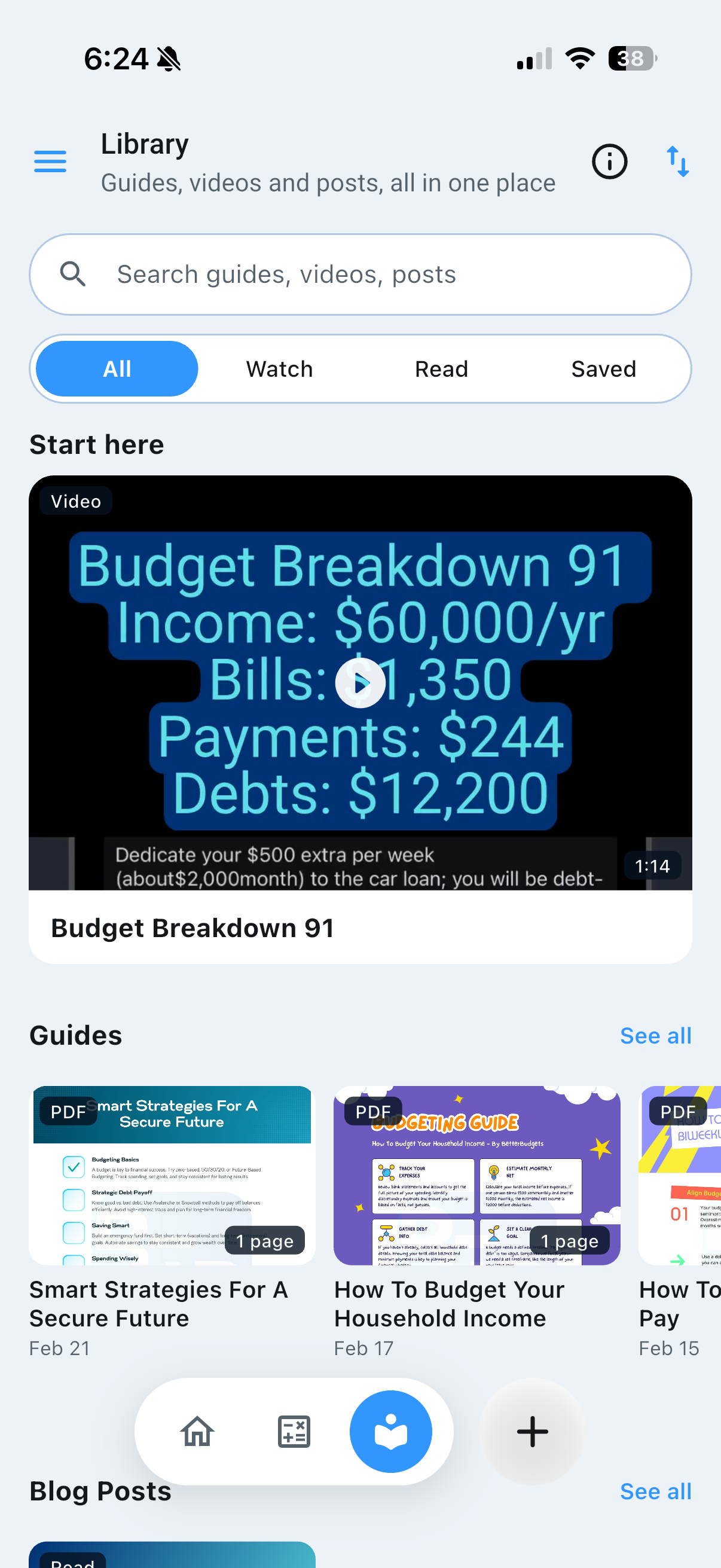
Budgeting strategies and psychology, free on every plan, for every stage of the journey.
Delete Anytime
Delete Account in Settings removes your account and everything in it after one confirmation. No email required, no waiting period.
Real screens
This Is What It Looks Like
Not mockups — the app as it ships. Swipe through.
Choose a plan
Library
Coming up
Ready?
Start building your plan today
Core features are free. No bank connection required.
Get Started Free